
Scenes and songs
Every show in ShowPlayer is a sequence of two types of items: scenes and songs. Together they form your show's playlist, in the order they happen on stage.
How it works
- Songs have a backing audio file. Cue events (mic mutes, sound effects, OSC triggers, conductor cues) are placed at exact timestamps along the audio timeline.
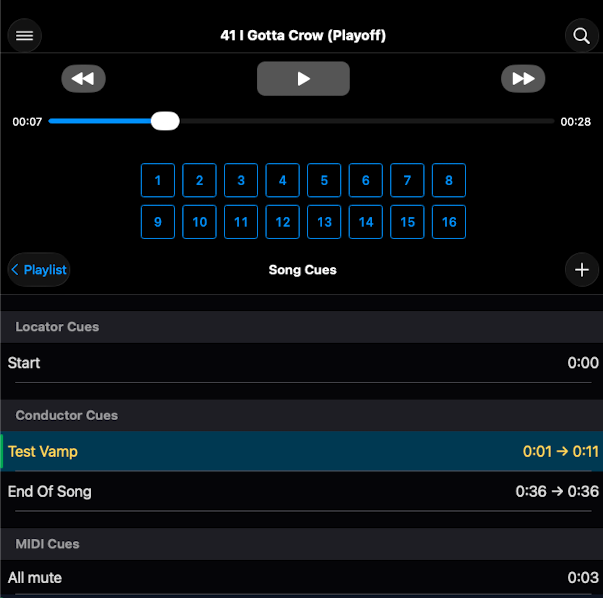
- Scenes have no audio. They hold cue events for use between songs — typically mic state changes for dialogue, standalone sound effects, or snippet recalls on a digital mixer.
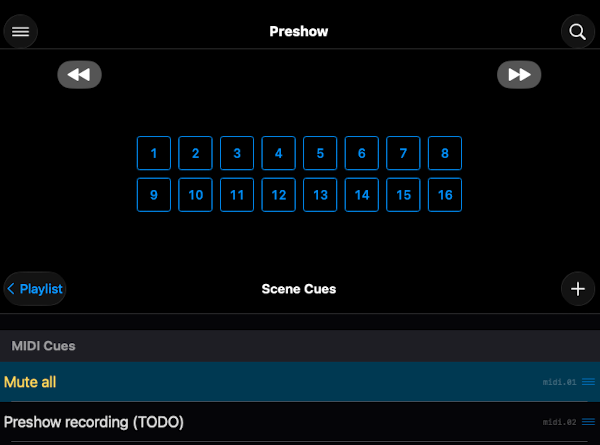
- Both flow through the same show. Pressing GO moves you forward through the playlist, playing songs and stepping through scenes as it goes.
Notes
- Where mic state changes live. Mute and unmute changes for dialogue between songs go in scenes and are advanced manually by the operator. Mic changes during a song go in that song's event list and are fired automatically when the audio reaches that place in its timeline.
- Standalone sound effects (doorbell, thunderclap, phone ring, but also scene transition music) can go in scenes. Audio overlays during a song (sound effects, sweeteners) go in that song.
- Scenes-only shows. A straight play with no backing tracks is a valid show — just scenes with cue events, no songs. Thanks to the flexible nature of the playlist items, you can add sound effects and music tracks in scenes, and even crate a new song if your audio needs to trigger events by timeline.